
Geomagic FreeForm Software
Geomagic® FreeForm™
Redefining Organic 3D Design & Engineering
Geomagic Freeform is a comprehensive hybrid 3D design software. It bridges the gap between traditional craftsmanship and modern digital manufacturing. By combining the intuitive, tactile feel of clay sculpting with the precision of advanced CAD, Freeform empowers designers to create complex, organic forms that are often impossible to achieve in traditional parametric systems.
Where Artistry Meets Engineering Precision
Geomagic Freeform® is the industry’s most comprehensive organic 3D design solution, purpose-built to bridge the gap between traditional craftsmanship and modern digital manufacturing. Unlike standard CAD software that relies on rigid geometric constraints, Freeform utilizes a hybrid modeling system—incorporating Voxel (digital clay), SubD, Mesh, and NURBS—to give you total creative freedom without sacrificing engineering control
Whether you are designing a complex industrial component or a patient-specific medical implant, Geomagic Freeform allows you to “feel” your design through integrated haptic technology, translating the intuition of hand-sculpting into a high-precision digital environment.
Features

Heptic Device Integration
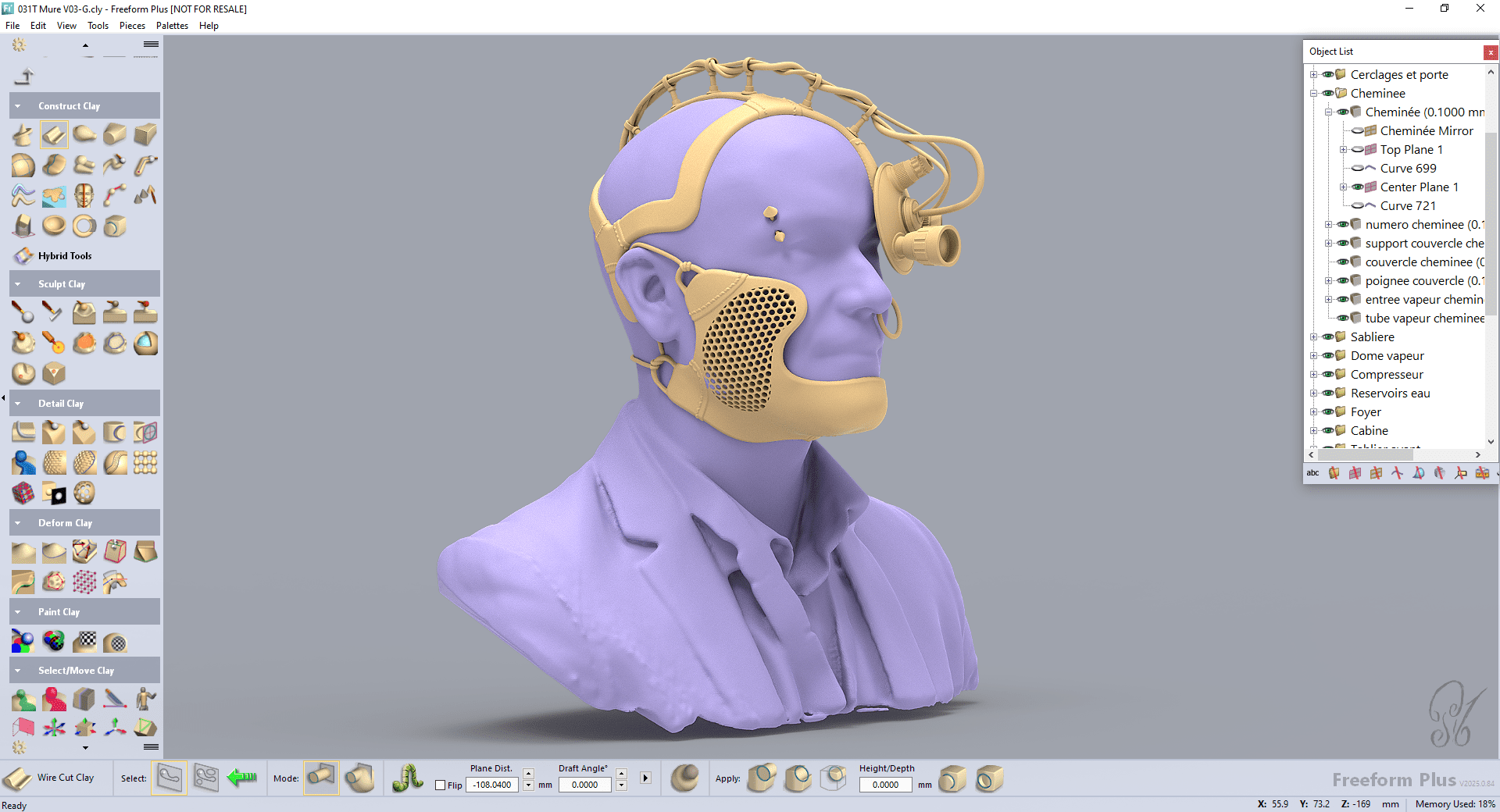
Work seamlessly across different geometry types. Use SubD for smooth surfaces, NURBS for precision CAD shapes, and Clay (Voxels) for organic embossing and deforming.

Haptic Device Integration
Experience the physical sensation of sculpting in a virtual environment. Use 3D Systems Touch haptic devices to "feel" your design, significantly reducing the learning curve.

StructureFX™ Toolset
Interactively create and modify complex internal/external lattice structures and 3D textures. Perfect for light weighting and functional medical implants.
Design for Manufacturability
Identify and fix potential production issues early with built-in draft analysis, thickness analysis, and "no-fail" shelling tools.

Advanced Automation (Dynabot)
Automate repetitive design tasks using powerful scripting to boost efficiency and ensure consistent results across mass-customization workflows.

Interoperability
Robust support for importing/exporting standard 3D formats, including STL, OBJ, PLY, IGES, STEP, and native CAD files (Plus version).
Why Choose Geomagic Freeform?
- Unconstrained Creativity: Break through the limitations of feature-tree constraints. Design without limits while maintaining engineering control.
- Faster Time-to-Market: Speed up the design process by eliminating time-consuming physical-to-digital conversions.
- Production-Ready Output: Ensure your designs are ready for additive, subtractive, or formative manufacturing (3D printing, CNC, or Injection Molding) from the start.
- Mass Customization: Easily scale your designs for patient-specific medical devices or personalized consumer products.
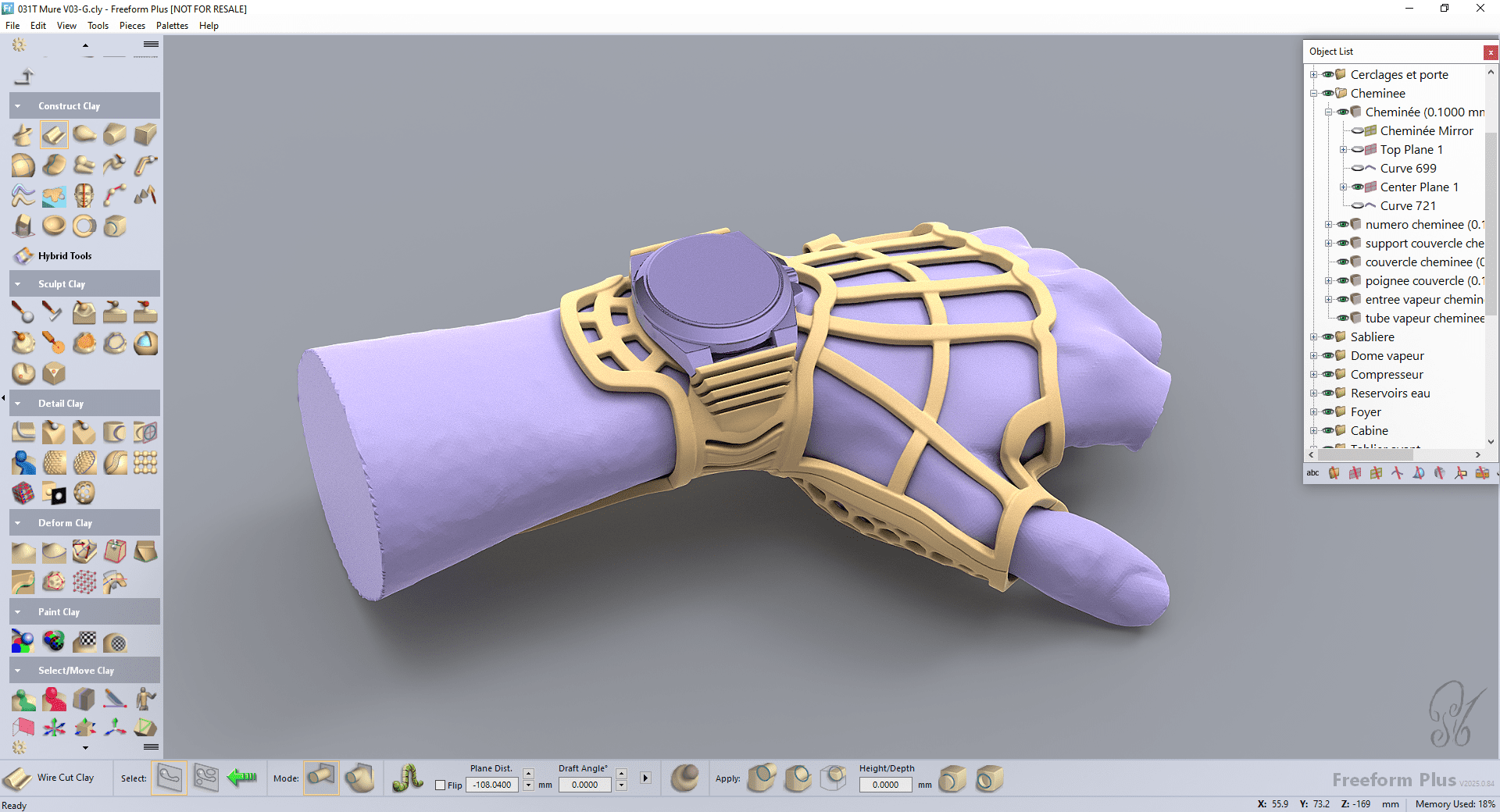
Geomagic Freeform is designed to solve specific frustrations common in traditional 3D workflows:
- Traditional CAD is too rigid for organic shapes
- Standard CAD struggles with “non-mathematical” forms like human anatomy or artistic textures. Freeform allows for freehand-style sculpting with engineering precision
- Manual sculpting takes too long to digitize
- Stop wasting days on clay prototypes and 3D scanning loops. Design digitally from the start with the same tactile intuition.
- Imported scan data is messy and hard to edit
- Freeform excels at “fixing” faulty or low-grade scan data, turning it into smooth, workable models instantly
- Manufacturing surprises are expensive
- Avoid the “it won’t release from the mold” nightmare. Freeform’s real-time draft and thickness analysis catches errors before you send files to production.
- Repetitive customization is a bottleneck
- For companies making hundreds of unique patient-specific parts, the Dynabot automation eliminates hours of manual processing per part.
The Dual Power of Geomagic Freeform


 Industrial Applications
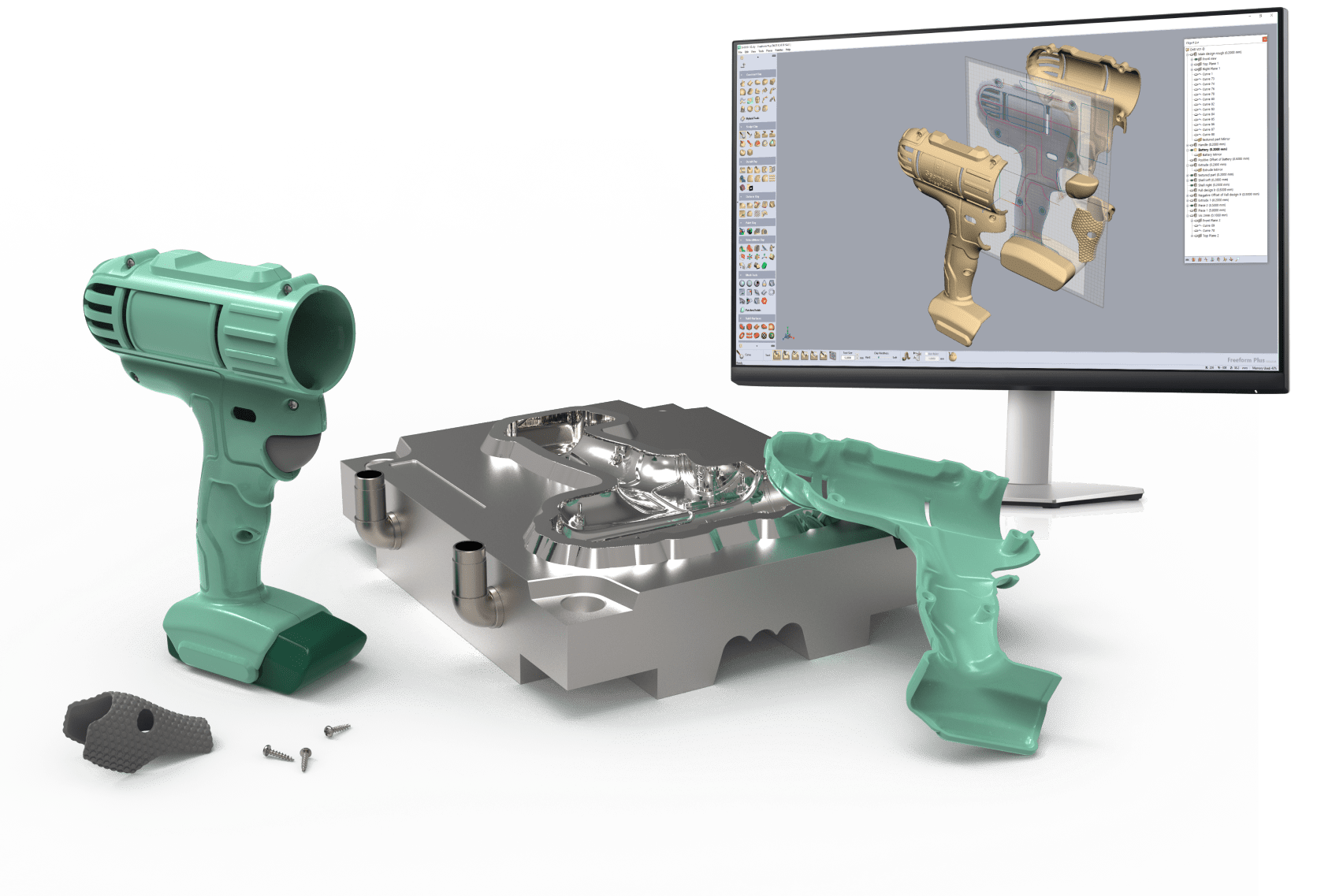
In the industrial sector, speed and manufacturability are paramount. Geomagic Freeform enables designers to create complex, sculptural forms—such as ergonomic consumer goods, intricate jewelry, or highly detailed automotive interiors—that are often impossible to achieve in traditional CAD.
- Artistic Control: Sculpt organic shapes with the fluid feel of real clay.
- Production-Ready: Built-in draft analysis and mold-prep tools ensure your designs move seamlessly into mass production.
- Complex Texturing: Interactively apply 3D textures and lattices to enhance product aesthetics and functional performance.
 Healthcare Industry
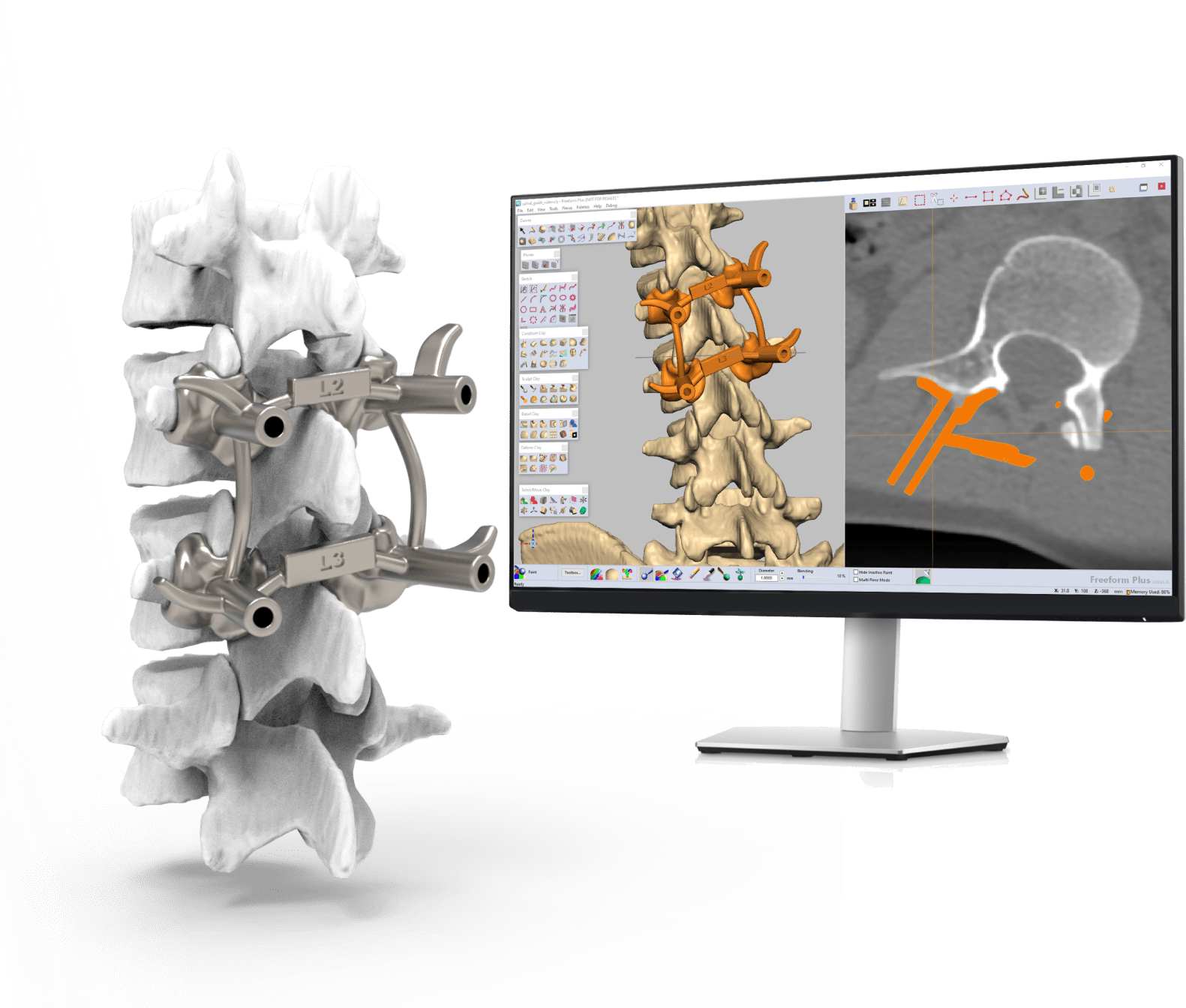
In healthcare, no two challenges are the same. Geomagic Freeform provides clinicians and bio-engineers with a powerful toolbox for creating custom-fitted devices directly from patient scan data (CT/MRI).
- Customized Care: Design perfectly fitted orthotics, prosthetics, and surgical guides that match a patient’s unique anatomy.
- Surgical Planning: Use virtual simulation to prepare for complex procedures, reducing time in the operating room.
- Functional Implants: Leverage the StructureFX™ toolset to create porous lattice structures for implants, promoting better osseointegration and lighter, stronger medical devices
Geomagic Freeform Version Comparison
Geomagic Freeform |
Geomagic Freeform Plus |
|
Hybrid Modeling |
Core voxel, SubD, and mesh conversion tools | Advanced hybrid capabilities including CAD solids and surface tools |
Automation |
Runs automation scripts to speed up workflows. | Features the Dynabot platform for recording and playing back task-based automation. |
Manufacturing |
Includes 3D printability analysis and independent clay file viewing. | Advanced mold prep, automated parting line functions, and complex draft analysis |
Data Import |
Supports neutral formats like STL, OBJ, PLY, IGES, and STEP. | Includes native CAD format import (.x_b, .x_t, .sidprt) and DICOM volumetric data |
Lattice & Textures |
Supports SubD surface texturing and cellular lattices | Full access to StructureFX tools including LayerFX, CageFX, and SurfaceFX |